Redeeming a gift card
If your client has a gift card that was sold through salonMonster, you can redeem it during checkout and apply it toward the sale total. If the gift card does not cover the full amount, you can add another payment method to finish the sale.
- Start checking out the sale
-
Select Add Payment if you do not use integrated payments.
If you use an integrated payment terminal, select the down arrow beside the Charge button.
-
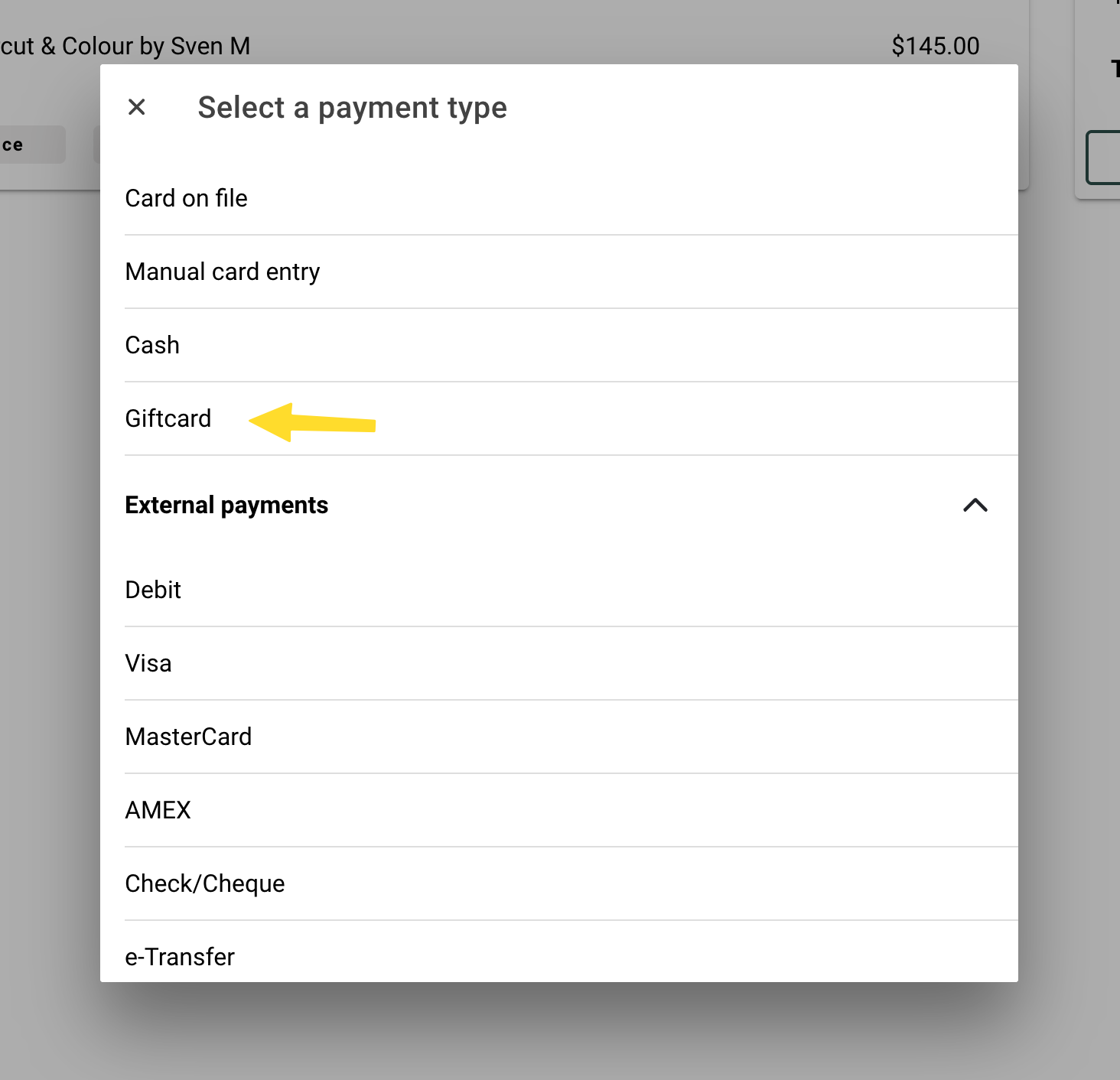
Select Giftcard.
Be sure to choose Giftcard, not Giftcard (external).
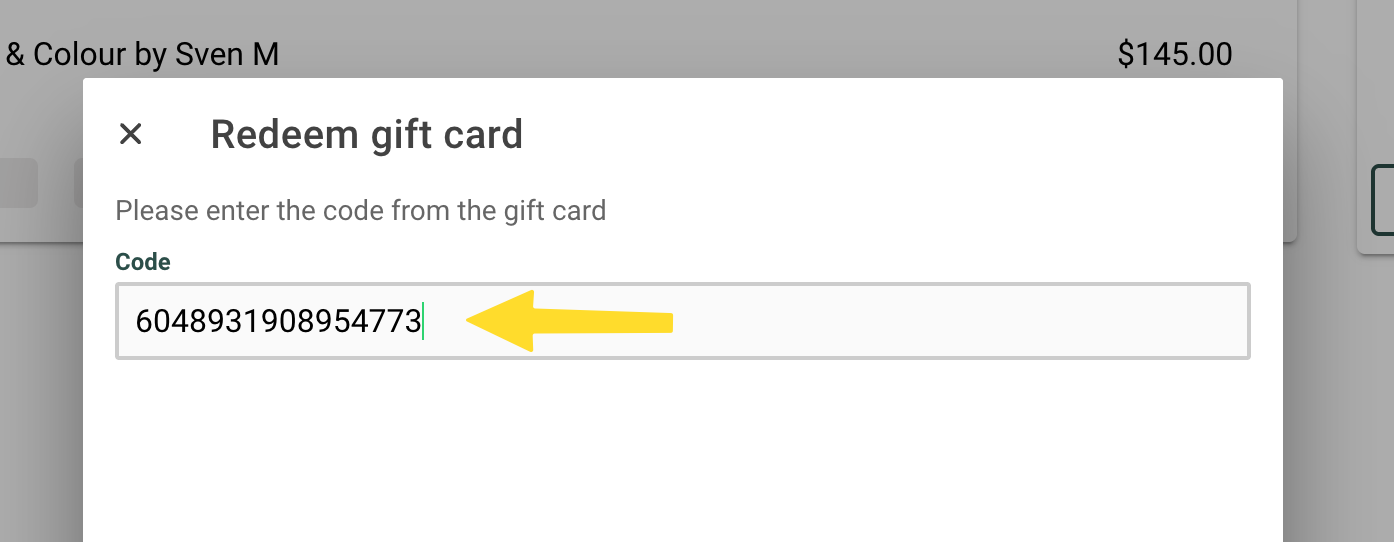
- Enter the giftcard code into the field + select Continue:
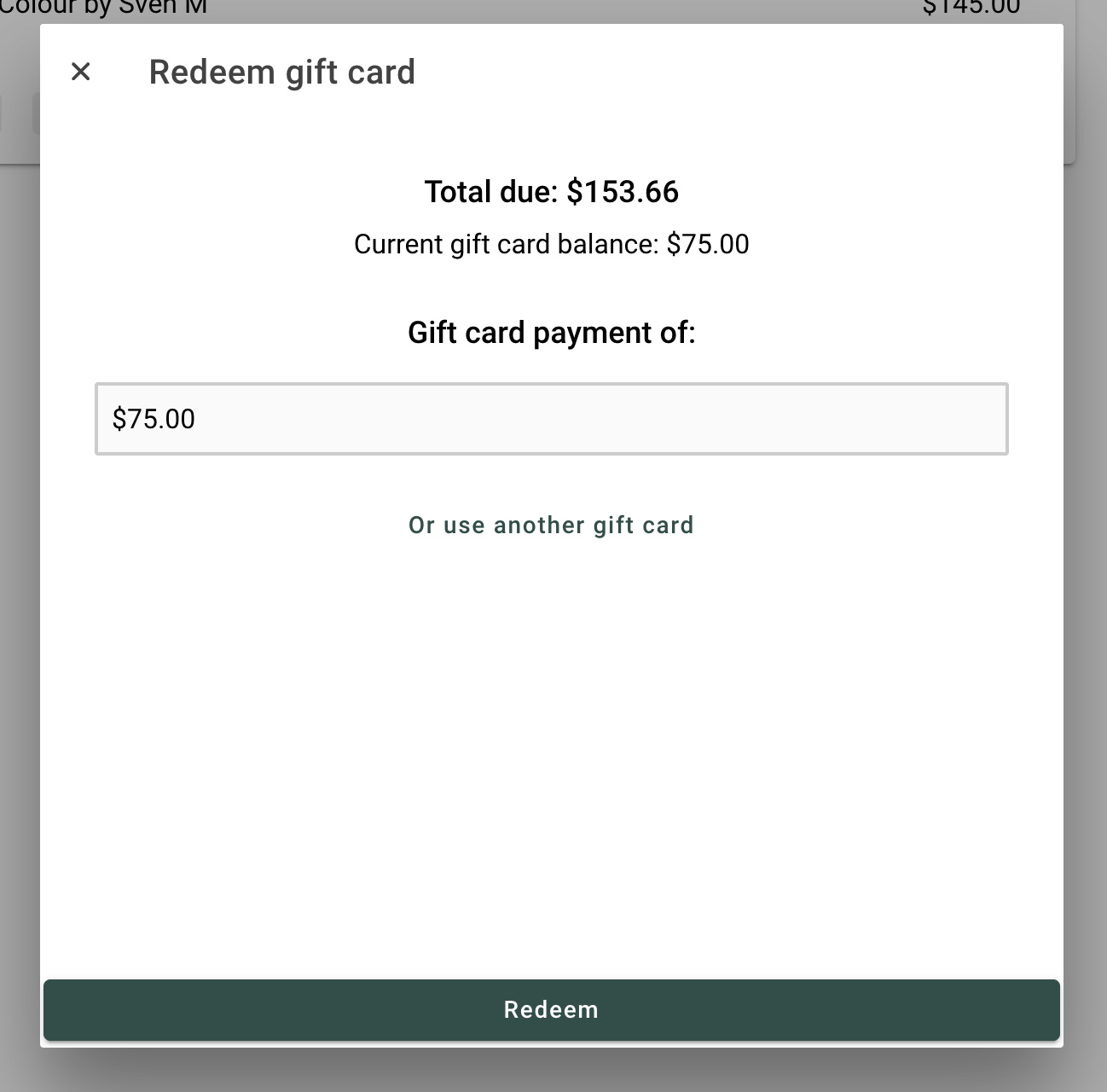
- The payment amount will automatically fill with the amount owing on the sale. You can adjust this amount if needed.
- When you are ready, select Redeem.
What happens next
After the gift card is redeemed, one of two things will happen:
- If the gift card covers the full balance, the sale will complete automatically and you will be taken to the receipt.
- If there is still a balance left, you will return to the sale so you can add another payment method.
If the gift card does not work, double-check that the code was entered correctly and make sure the card was originally sold through salonMonster.